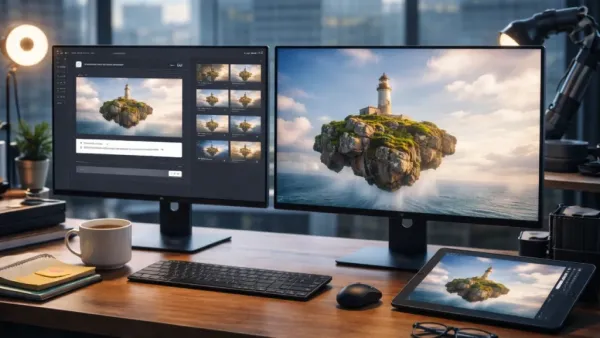
Imagine a graphic designer, with a deadline in two hours, opening a tool and typing a prompt. The image appears in seconds, with clean typography, believable light skin tones that do not look artificial or plastic. There is no need for post-production cleanup.
That’s the scenario that Microsoft has in mind while building Microsoft MAI-Image-2. For years, Microsoft powered Copilot and Binge Image Creator, using licensed models from OpenAI- an arrangement that worked but did leave the company entirely dependent on an external partner.
MAI-Image-2 changes that.
Microsoft MAI-Image-2: What Changed
- Built entirely in-house under the MAI (Microsoft AI) brand.
- Landed at #3 on the Arena.ai image generation leaderboard, being behind only Google and OpenAI.
- Reduces Microsoft’s dependency on OpenAI for one of its most visible AI features.
- Gives Microsoft full control over development speed, cost, and integration.
Things MAI-Image-2 Actually Does Well
- Photorealism, with natural lighting, realistic skin tones, surface textures, and spatial depth, is consistently achieved.
- Text generation, on posters, infographics, signs, and diagrams, is generated with clarity.
- Surreal, cinematic, and detailed compositions without obvious distortions.
- Shifts cleanly between photorealism, illustrations, and graphic design without a sweat.
What Microsoft Built, and Why
The model was developed with direct input from photographers, designers, and visual storytellers.
| Priority | What It Means in Practice |
| Photorealism | Natural light, accurate skin tones, lived-in environments |
| In-image text | Consistent typography in posters, slides, diagrams |
| Scene construction | Surreal or ornamental compositions rendered accurately |
MAI-Image-2 doesn’t need to be the best model in the world; it just needs to be the one that listens to its users. Let us see if it does that or not.
Why Microsoft built this in-house
Microsoft has been paying OpenAI billions to license image models for Copilot. Simultaneously, Microsoft is funding Anthropic- OpenAI’s biggest competitor. An in-house model removes the need to ask permission to iterate, while cutting licensing costs at scale across millions of Copilot and Bing users.
It gives Microsoft something to improve on its own timeline,
Some hands-on reviewers found it actually outperformed GPT-Image on image quality and text rendering, despite GPT-Image sitting higher on the Arena leaderboard.
So, it is true that benchmark positions don’t always tell the full story.
Who Benefits the Most
Students
- Great for presentation, digital projects, and social content.
- Free playground access with no subscription needed.
- Strong text-in-image means cleaner infographics and posters
Small Business Owners
- Useful for product visuals, branded graphics, and promotional material.
- Text rendering handles price cards, banners, and signage well
Budget-Conscious Users
- Currently free in the MAI Playground, which costs $10–$30/month.
- Competes in quality with paid tools like Midjourney and Firefly
Families and Casual Users
- Works well for personal greetings, event visuals, and fun creative prompts
- Strict filters make it safer for shaded household use.
Price and Accessibility
| Access Type | Cost | Free with a Microsoft account |
| MAI Playground | Free | Live now (excluding EU) |
| Copilot Integration | Included with Copilot plans | Rolling out |
| Bing Image Creator | Free with Microsoft account | Rolling out |
| API- Enterprise | Partner pricing (undisclosed) | Select customers only |
| Microsoft Foundry API | TBD | Announced, |
Missing Features
- No image-to-image generation
- No inpainting or outpainting
- No reference image support
- Only 1:1 square output. No landscape, portrait, or custom aspect ratios.
- Multilingual text generation has limited accuracy.
- There is a 30-second cooldown between each image generation
- At most, 15 images per day in the native UI, after which the access locks for 24 hours.
Final Thoughts
The problems are all product designs, and that means they are fixable.
What’s sitting underneath the restrictions is a serious image-generating capability. For students, casual creators, and small businesses, it is worth trying today.
For production workflows, it is not ready for you yet, but you will get your turn soon.
Test MAI-Image-2 free at the MAI Playground. Match your needs- can you spot the magic or scale roadblock? Decide now, for future updates could tip the scales.
So now, jump in, prompt wildly, and see if it sticks for you.
Contact to : xlf550402@gmail.com
Copyright © boyuanhulian 2020 - 2023. All Right Reserved.