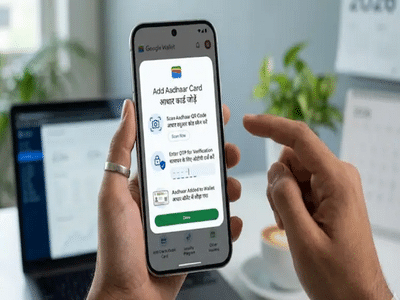
In a major step toward digital convenience in India, Google has introduced a feature that allows users to store their Aadhaar Card directly in Google Wallet. This update makes it easier than ever to carry and present your identity proof without needing a physical card.
With this feature, users can securely save their Aadhaar on their smartphones and access it anytime for verification purposes—both online and offline. Here’s everything you need to know about how it works, how to set it up, and its key benefits.
What You Need Before Adding AadhaarBefore you begin the process, ensure that you meet the following requirements:
- An Android smartphone running Android 9 or above
- A secure screen lock enabled (PIN, pattern, or fingerprint)
- The mAadhaar app installed and logged in
These prerequisites are important to ensure your data remains protected and accessible only to you.
Step-by-Step Guide to Add Aadhaar to Google WalletAdding your Aadhaar to Google Wallet is a simple process. Follow these steps:
After completing these steps, your request may remain under review for a short time. Once verification is successful, your Aadhaar will be securely added to your wallet.
Key Features of Digital Aadhaar in Google WalletThis digital integration offers several user-friendly and secure features:
- Encrypted Storage: Your Aadhaar details are stored securely with encryption
- Controlled Sharing: You can choose what information to share and when
- QR Code Access: Easily display your Aadhaar via QR code
- Offline Use: Share details using NFC even without internet
- Privacy First: Data sharing happens only with your permission
These features ensure that your personal information remains safe while offering maximum convenience.
How to Access Aadhaar in Google WalletOnce your Aadhaar is added, accessing it is quick and simple:
- Open Google Wallet
- Scroll down to find your Aadhaar Card
- Tap on it to view details
- Use QR code or NFC to share information when needed
Before sharing, the app clearly shows what data will be shared, giving you full control over your privacy.
Why This Feature MattersThis new feature is part of India’s growing digital ecosystem, where services are becoming more accessible through smartphones. By integrating Aadhaar with Google Wallet, users no longer need to carry physical documents everywhere.
It also enhances security, reduces the risk of document loss, and simplifies identity verification for services like travel, banking, and official processes.
Final TakeawayThe addition of Aadhaar support in Google Wallet marks a significant step toward seamless digital identity management. With easy setup, strong security, and user control, this feature is set to make everyday verification faster and more convenient.
As digital solutions continue to evolve, tools like Google Wallet are helping users manage essential documents efficiently while keeping their data safe and accessible at all times.
Contact to : xlf550402@gmail.com
Copyright © boyuanhulian 2020 - 2023. All Right Reserved.